 No Touch
Ghost touch blocker for Android
Switch off the touch that misbehaves.
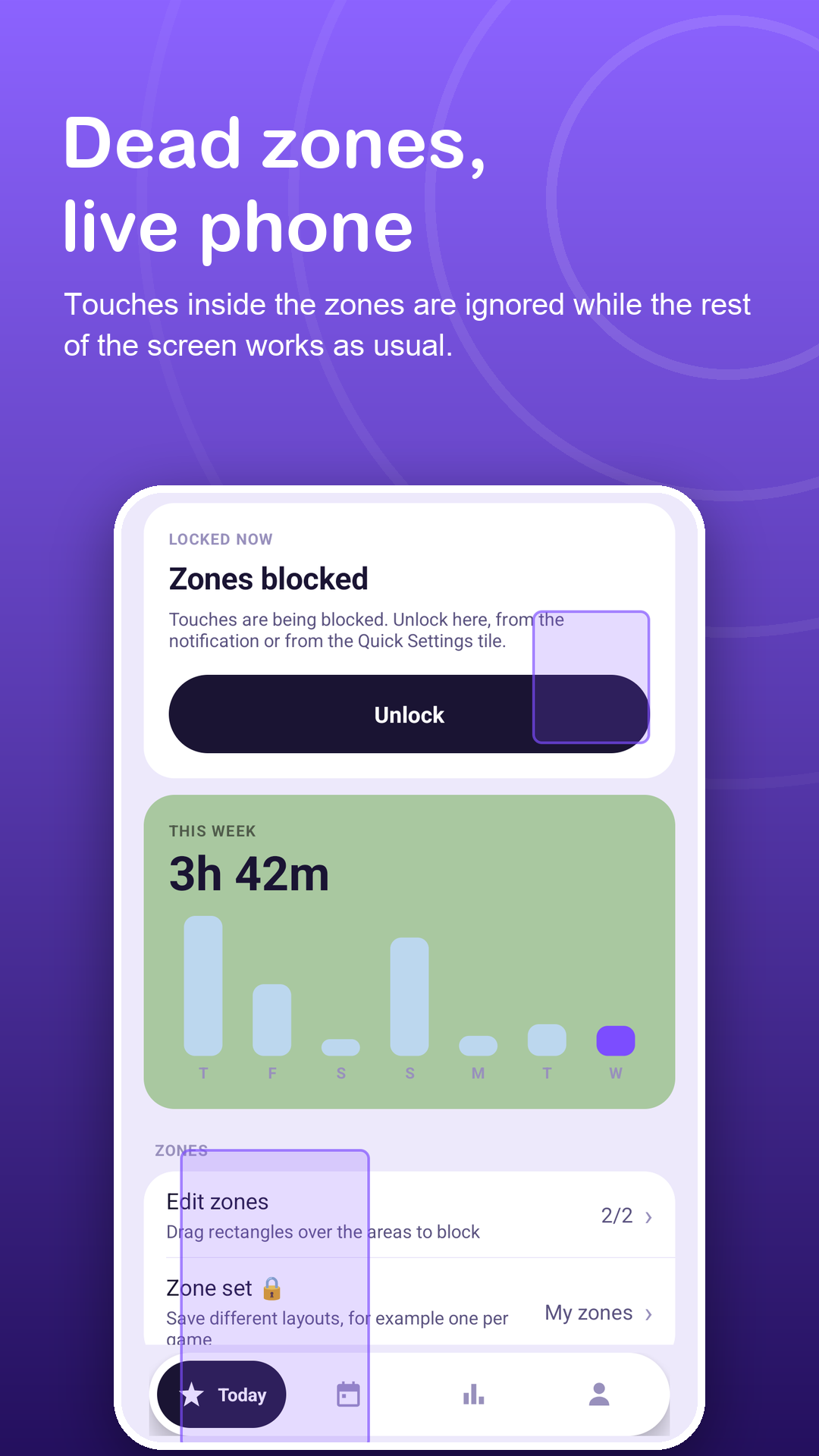
Draw a zone over a cracked corner, a strip with phantom taps or an edge your palm keeps hitting. No Touch ignores every touch inside it, and the rest of the phone works as usual.
Free with ads · Android 7.0+ · no accessibility service
Screenshots
Find it, fence it, carry on.
How it works
From ghost taps to a usable phone.
Find the problem area
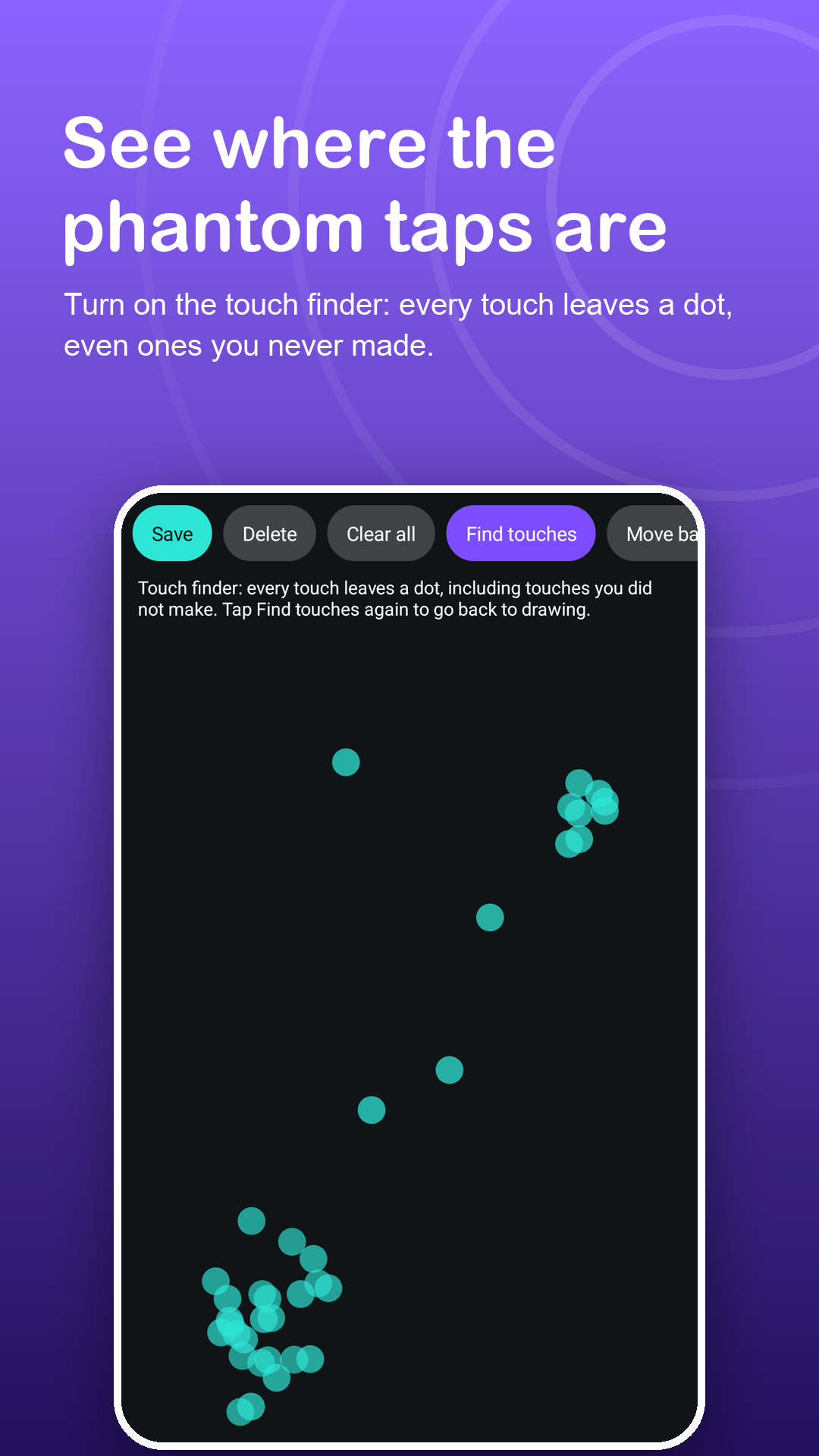
Turn on the touch finder: every touch leaves a dot, including the ones you never made. Leave the phone still and watch.
Draw a zone over it
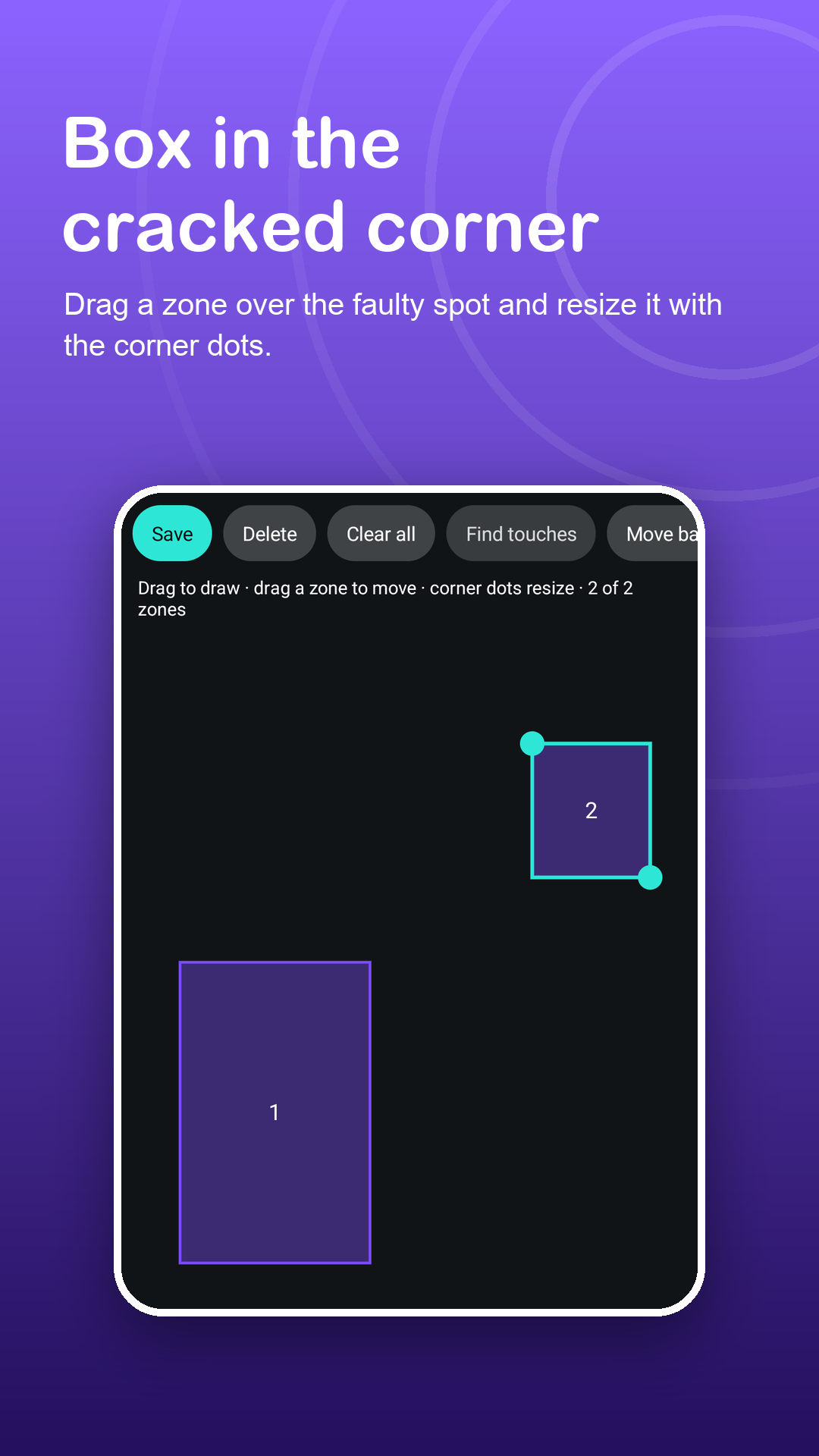
Drag a rectangle, move it, resize it with the corner dots. It stays on the same part of the glass in landscape.
Block it and keep going
Start the zone block from the app, the Quick Settings tile or the notification. Tap Unlock in the notification to stop.
Features
Precise, honest, and local.
Touch finder
See where touches land, including phantom ones, before you decide what to block.
Zones that follow the glass
Zones are stored relative to the screen, so a cracked corner stays covered in portrait and landscape.
Edge strips for games
Block a slim strip where your grip lands, or a button you keep pressing by mistake. Save a zone set per game with Premium.
Full screen off
Turn off touch on the whole display, then hold the small lock button for 2 seconds to get it back.
Tile and notification
Switch blocking on and off from Quick Settings or from the notification buttons.
No false promises
No Touch hides faulty areas from your apps; it does not repair glass or the touch sensor. A repair shop is still the real fix.
Privacy
Blocks touches. Reads nothing.
No Touch only places a layer that absorbs touches. It does not read the screen or what you type, and it uses no accessibility service. Zones, settings, history and your PIN stay on your device; the PIN is stored only as a salted hash. Read the privacy policy.
FAQ
Fair questions.
Will this fix my broken screen?
No app can repair hardware. No Touch ignores touches in the area you choose, so phantom taps there stop reaching your apps while the rest of the screen stays usable.
How do I find where the ghost touches are?
Open the zone editor and tap Find touches. Every touch leaves a dot, including ones you did not make, so the faulty area shows itself.
Do zones move when I rotate the phone?
They stay on the same part of the glass, so a zone over a cracked corner covers that corner in both orientations.
How many zones can I block?
2 at a time in the free version. Premium allows up to 12 and lets you save several zone sets.
Does it use the Accessibility API?
No. It needs Display over other apps, plus the notification permission on Android 13 and newer for the Unlock button.
Why do the status bar and buttons still work?
Android keeps the status bar, navigation gestures and hardware keys above every app layer. For a stricter full screen lock, the app includes a guide to Android screen pinning.